Travel Logs has smart trip tracking features, such as Bluetooth Hands-Free, CarPlay Detection, Places, Places with Bluetooth Condition, NFC Tags and Vehicle Motion Detection, that can automatically start and stop trips for you.
Each option is designed for a different type of driver, vehicle or workflow. A vehicle logbook is easier to keep when trip recording fits naturally into the way you drive.
One of the most common logbook problems is forgetting to start or stop a trip. A client visit, job site run, supplies pickup or work errand can be easy to miss when you are busy and always on the go.
Travel Logs helps reduce missed trips by giving you several ways to automate trip tracking. Instead of relying on memory, you can choose an auto start/stop method that matches how you normally drive.
Choose Bluetooth when you regularly drive the same connected vehicle. Use Places when trips commonly begin or end at known locations. Motion detection suits flexible movement-based tracking. NFC gives you a deliberate tap-to-track workflow. CarPlay works well when your vehicle supports it, while manual tracking provides direct control. Test the chosen method before relying on it for regular records.

Bluetooth Hands-Free tracking is useful when you regularly drive the same vehicle and your iPhone connects to that vehicle’s Bluetooth system.
This option is designed to start and stop trips when your iPhone connects to the selected Bluetooth device, regardless of where the trip begins or ends. It is a practical option for drivers who want vehicle-based automation linked to their car, ute, van or work vehicle.
Bluetooth trip tracking is useful for employees, contractors, tradies, sales representatives and small business owners who usually drive the same vehicle for work.

Places Geo-Fencing is useful when your trips usually begin or end at known locations.
You can use Places for locations such as home, work, client sites, depots, offices, job sites, parking areas or regular business stops. Travel Logs can use those locations to help start or stop trips when you depart from or arrive at a specified place.
This is helpful when location context matters and you want your logbook to recognise common driving patterns.
Places with Bluetooth Condition gives you more control by combining a location rule with a Bluetooth connection.
This option is useful when you only want trips to start or stop at a location if your iPhone is also connected to a selected Bluetooth device. For example, you may leave an office for lunch, walk to a nearby shop or use another form of transport, and you may not want those movements recorded as vehicle trips.
By combining Places with a Bluetooth condition, Travel Logs can help make location-based automation more selective.

NFC Tags are useful when you want a simple trigger for trip tracking but do not have access to a Bluetooth device.
You can place an NFC tag in your vehicle and tap your phone to help start or stop a trip. This gives you a quick, physical way to control logbook recording without relying on a Bluetooth connection or a specific place.
NFC Tags can be useful for work vehicles, shared vehicles, older vehicles or drivers who prefer a simple tap-to-track workflow.

Vehicle Motion Detection is useful when you want Travel Logs to detect movement and assist with trip tracking.
This option is designed to start and stop tracking when your device detects that you are moving in a form of transportation. It can be helpful when you want automation without relying on Bluetooth, CarPlay, a fixed location or an NFC tag.
Motion detection can be a good option for drivers who need a flexible setup, but you should choose the automation method that best matches your actual vehicle use.
Smart trip tracking helps capture the journey, but your records still need to be easy to review later.
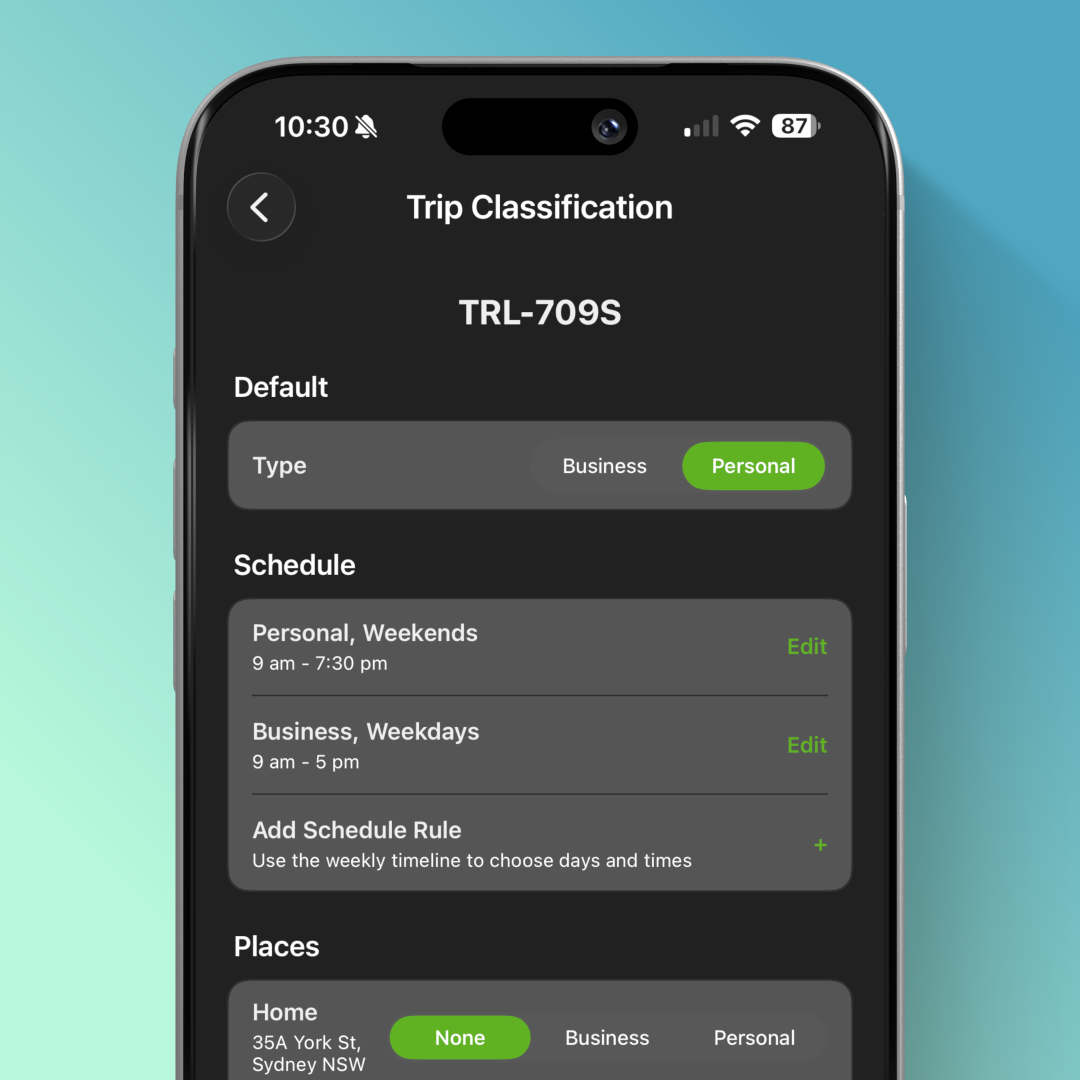
Travel Logs lets you review trip history, classify travel as business or personal, add notes and keep your vehicle records organised. This helps you prepare clearer records for tax time, work reimbursement, business reporting or your own vehicle history.
Once trips are tracked and classified, Travel Logs can export your vehicle logbook records to PDF or CSV.
PDF reports are useful for sharing with an accountant, employer, bookkeeper or tax agent. CSV exports are useful when you want to review records in a spreadsheet or use your logbook data in another business system.
A good logbook should not depend on perfect memory. Travel Logs gives you smart tools to help record trips, reduce missed journeys, review mileage, classify travel and export useful records.
Choose the automation method that suits how you drive, and make vehicle logbook tracking part of your normal routine.
Continue exploring